Guided tour
Jolv, screen by screen, in the order of a campaign
Ten steps, from the incoming deal to the sealed report: every screen is the application itself, captured on a demo organisation. Jolv Valuation runs the campaign; Jolv Data supplies the comparables.
Demo data: fictitious companies or synthetic figures, no client.
1Deal flow
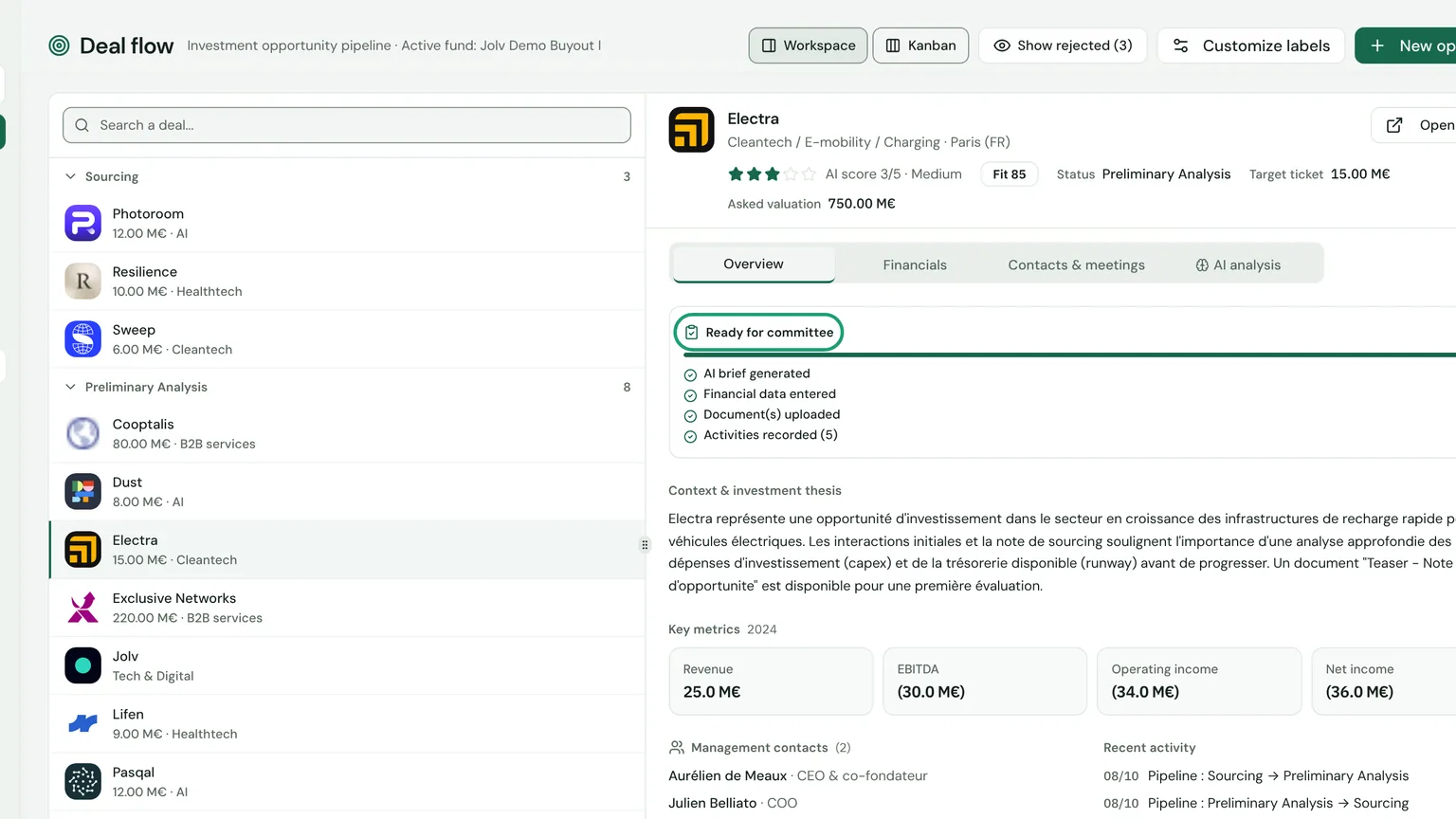
The deal comes in through the pipeline
Every opportunity has its sheet: thesis, key figures, contacts, activities. From sourcing to committee the stage changes, the history stays. At investment, the sheet becomes a holding.
2Financials
Financial statements, extracted and linked to their source
Every cell traces back to the document that gives it: report page, date, who entered it. Adjustments are signed; nothing is overwritten.
3Methods
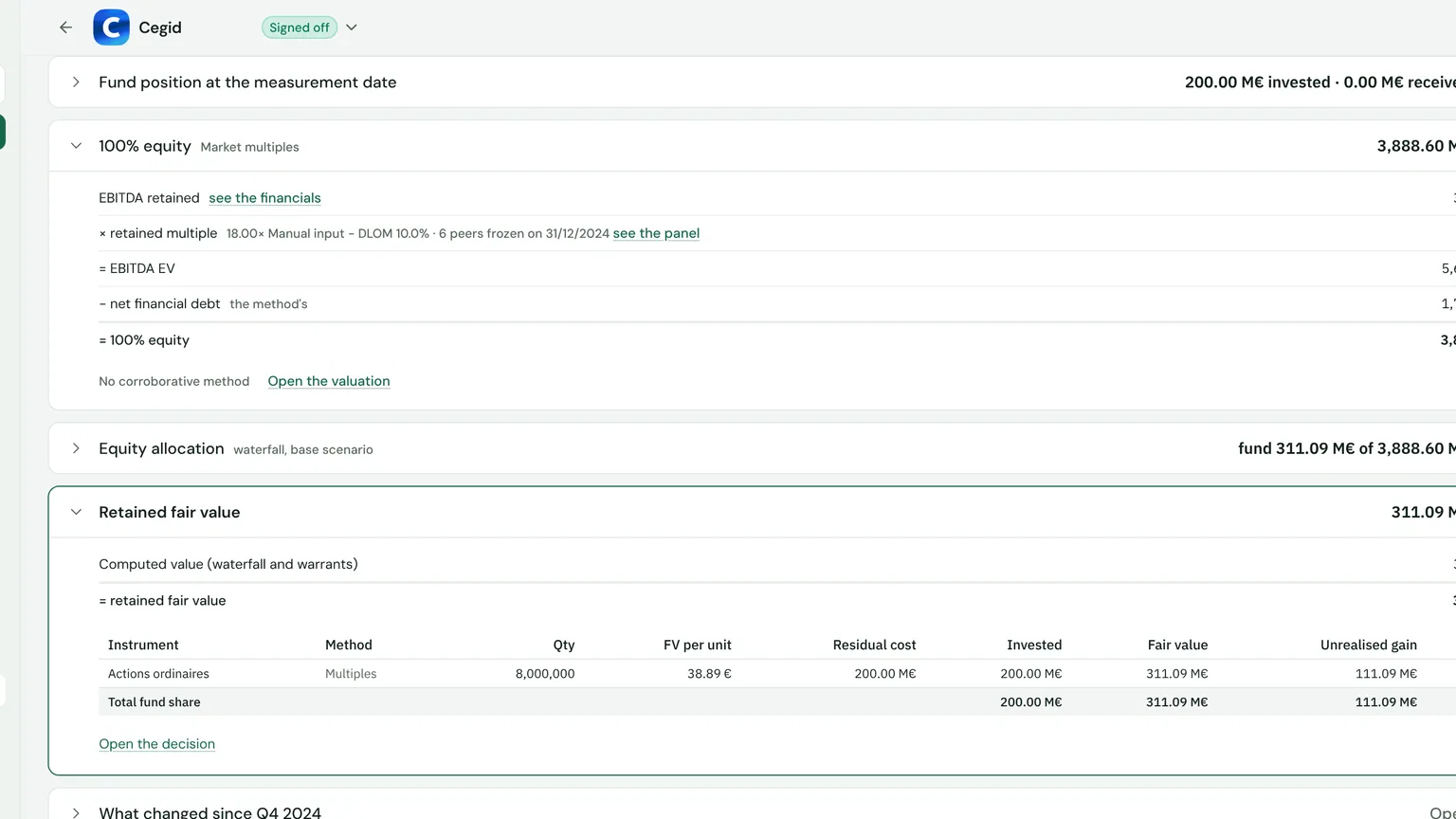
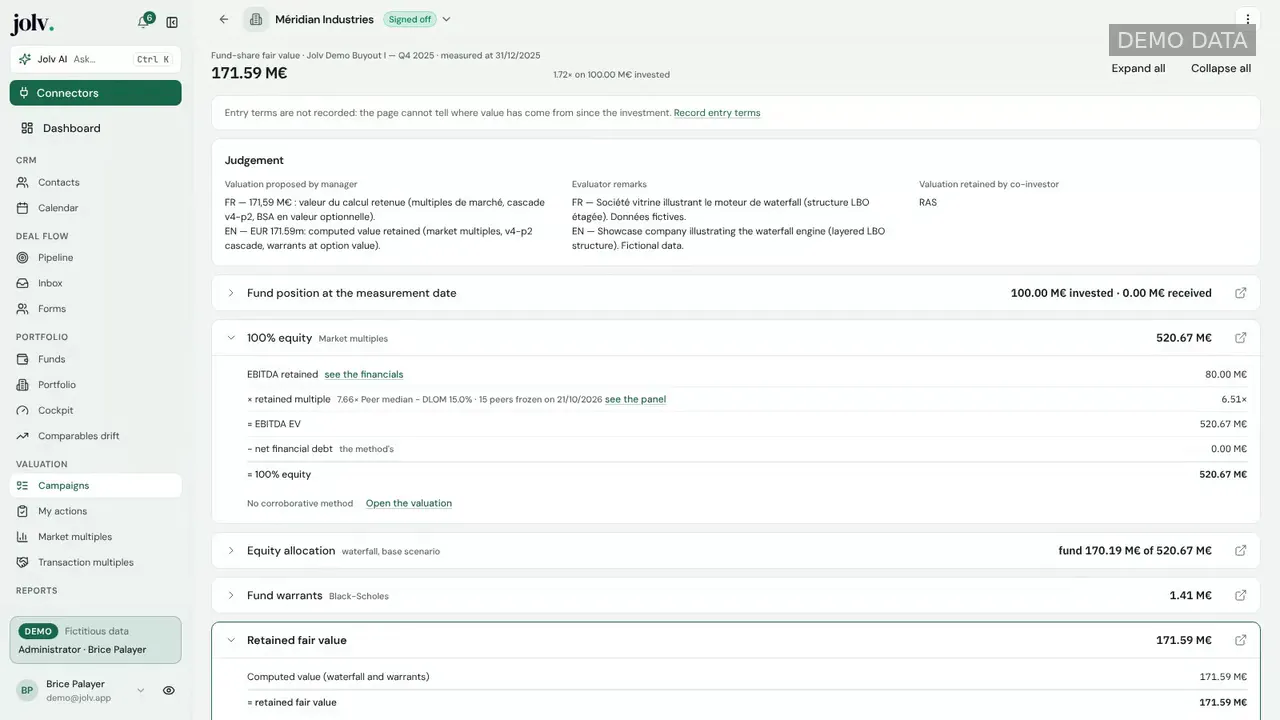
Methods are weighted, the valuation bridge is readable
Market and transaction multiples, DCF, NAV, calibration on the latest round: each method has its weight, and the enterprise value → equity → fund share bridge shows with no hidden calculation.
4Jolv Data · transactions
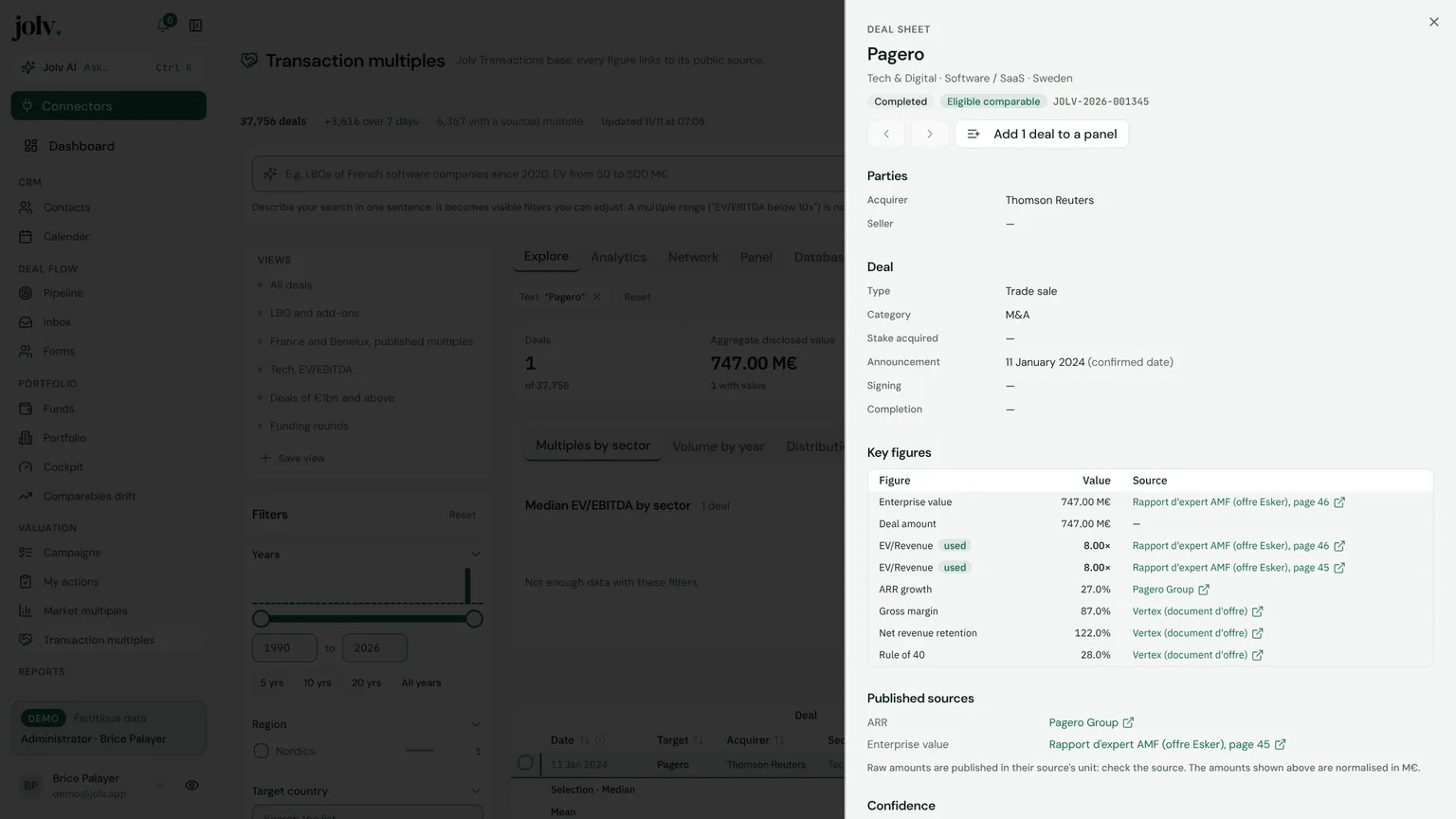
A transaction multiple, with the document that publishes it
A deal sheet gives the enterprise value, the retained multiples and, for each, the public document and its page. This is what goes into your comparables.
5Jolv Data · market
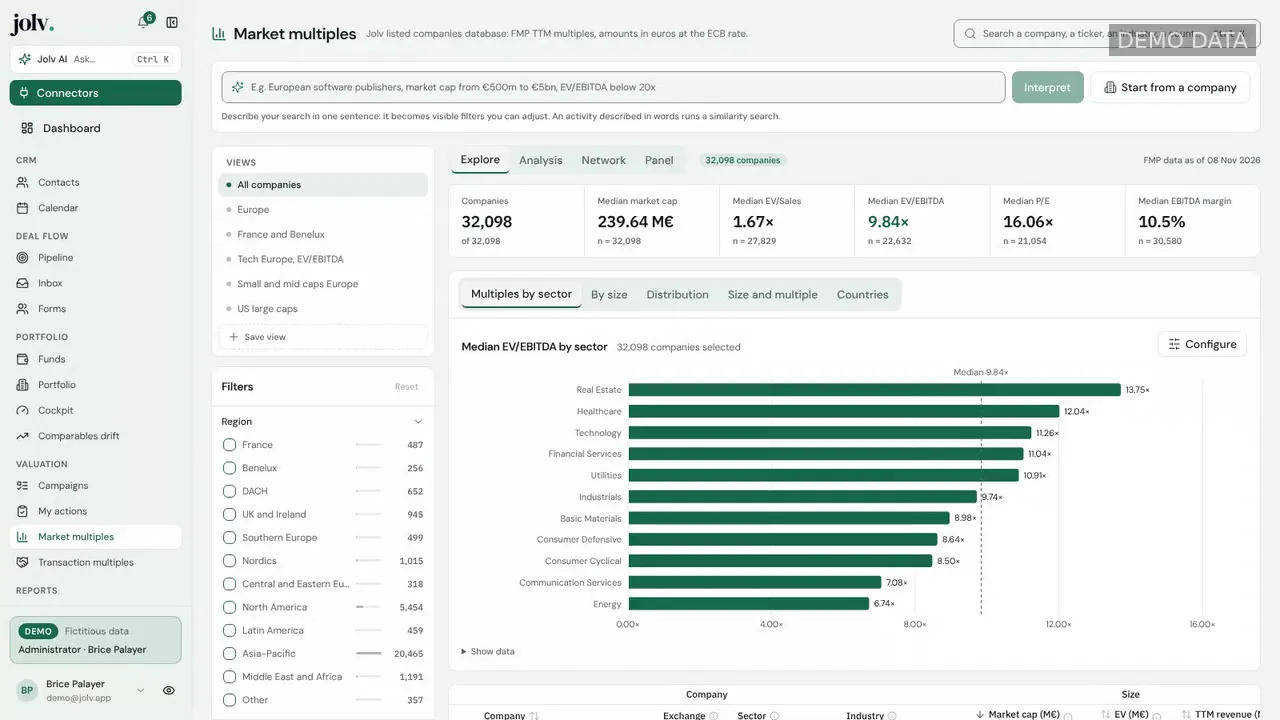
The listed-company screener, refreshed weekly
Trailing-twelve-month EV/Revenue, EV/EBITDA and P/E, filters by region, sector and market cap, panels with medians, betas and volatilities. Sector, region and country medians are published on the Jolv Data pages.
Demo data 6Workbook
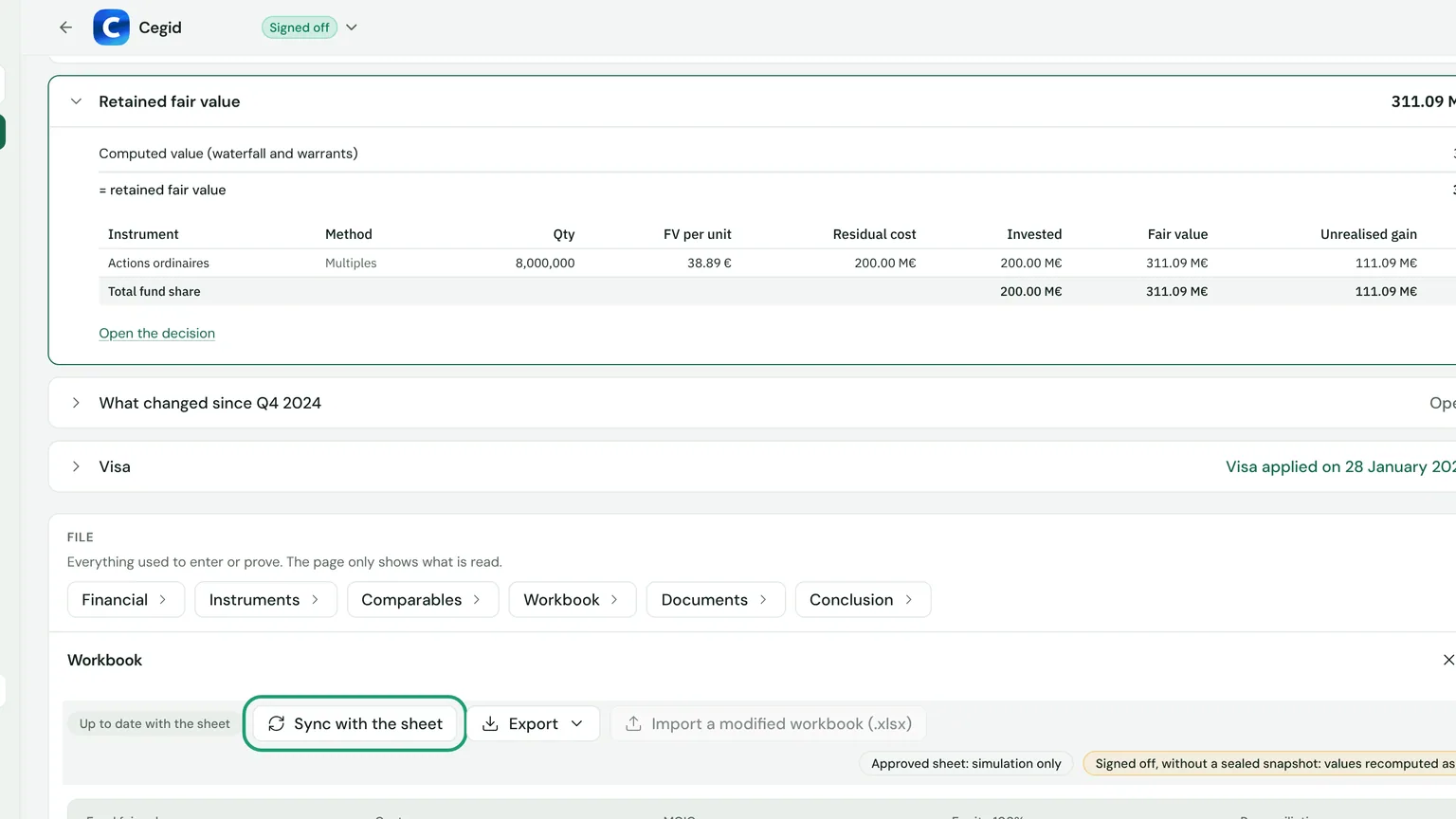
The sheet also reads as a workbook, formulas included
Every figure of the sheet has its cell and its formula; the workbook syncs with the sheet and exports to Excel with live formulas, for the auditor or the committee.
7Review and sign-off
Prepared, validated, signed off: the sheet is sealed
One workflow per role: the preparer concludes, the partner validates, the signatory signs. Once the campaign is closed, the official sheet is sealed and time-stamped; nothing moves any more.
Demo data 8Fair value
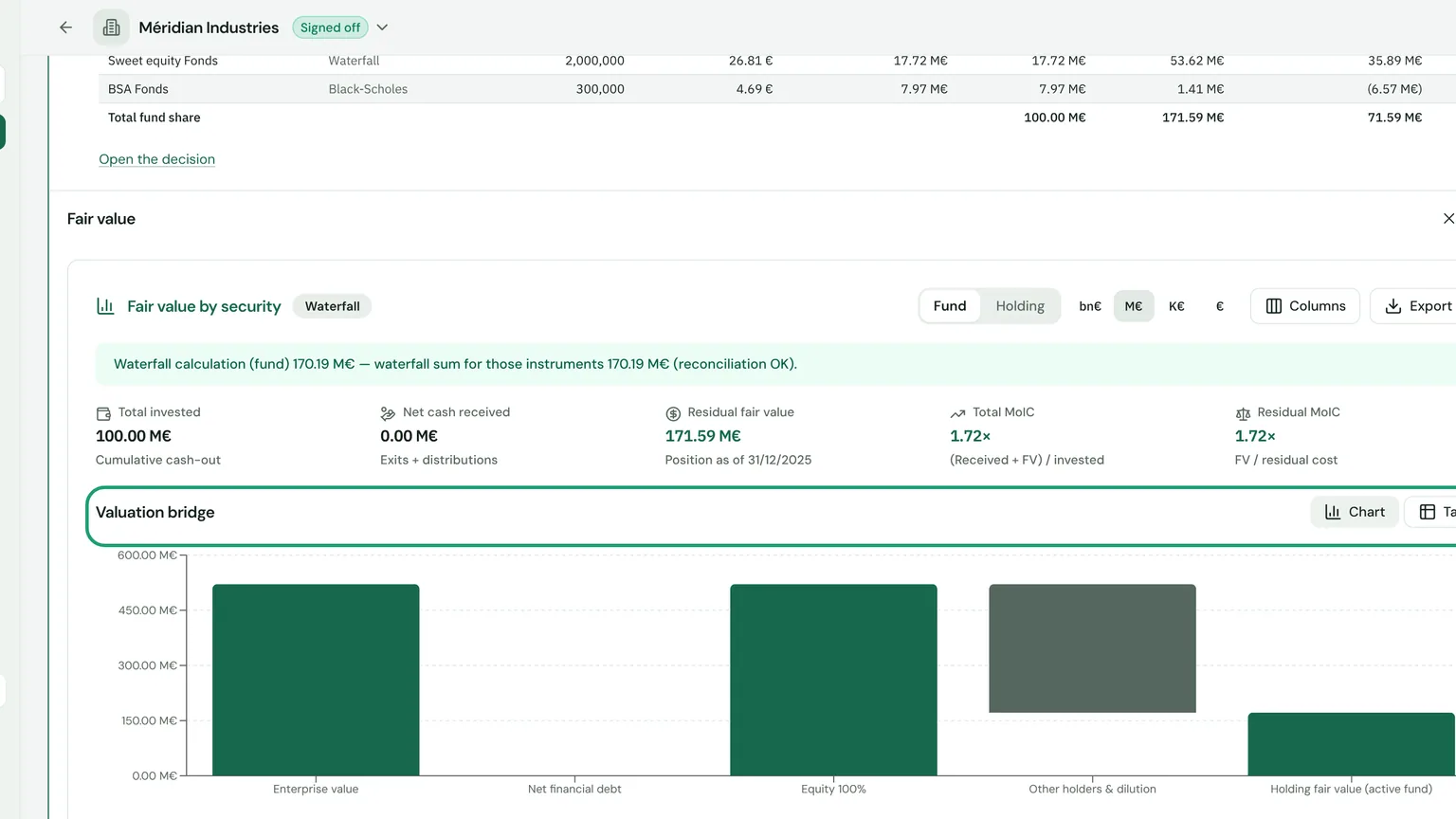
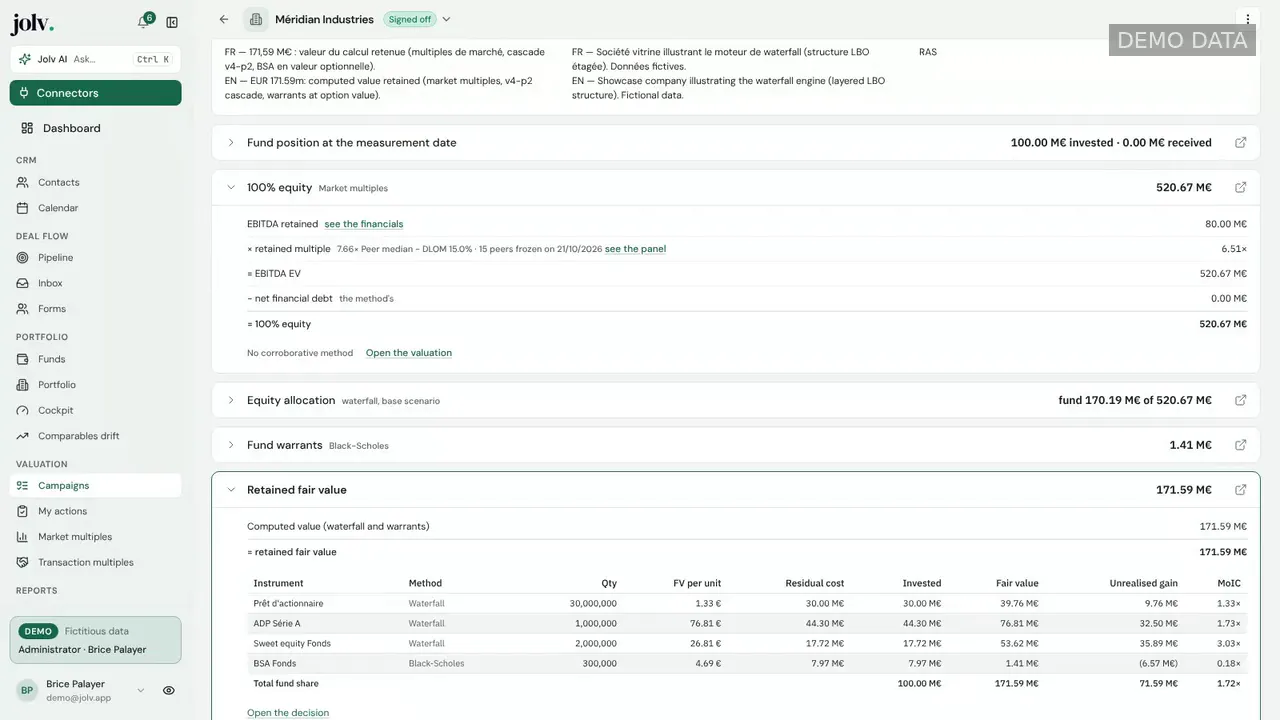
Fair value per instrument, for the fund
Valuation bridge, waterfall of preferences, fair value per security, MoIC and unrealised gain: the fund view, ready for reporting.
Demo data 9Cockpit and reports
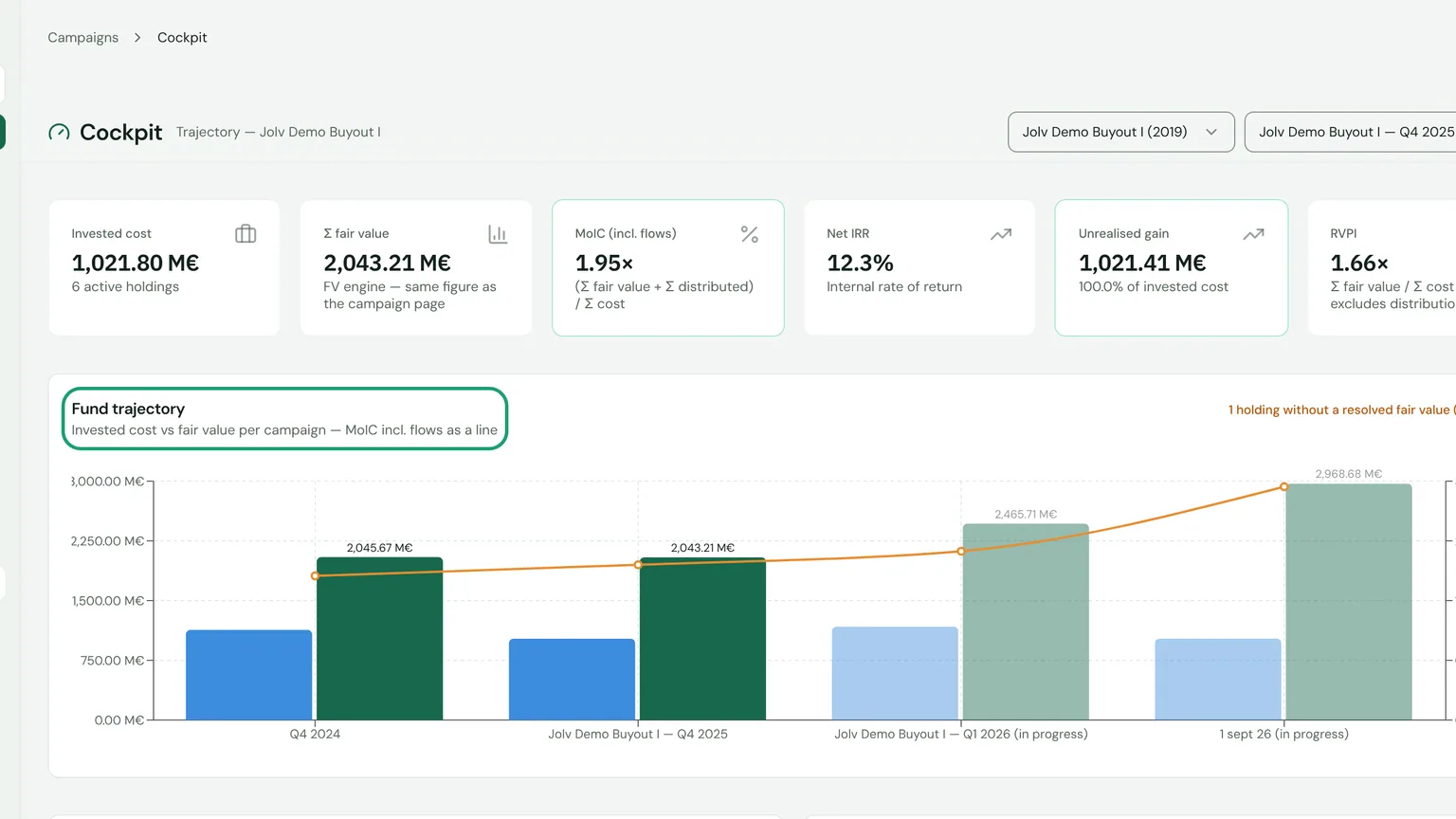
The fund from one campaign to the next
Fund trajectory, value creation, NAV concentration, then the reports: every output is recorded with its fingerprint, sealed sheets stay downloadable as they are.
10Jolv AI and MCP
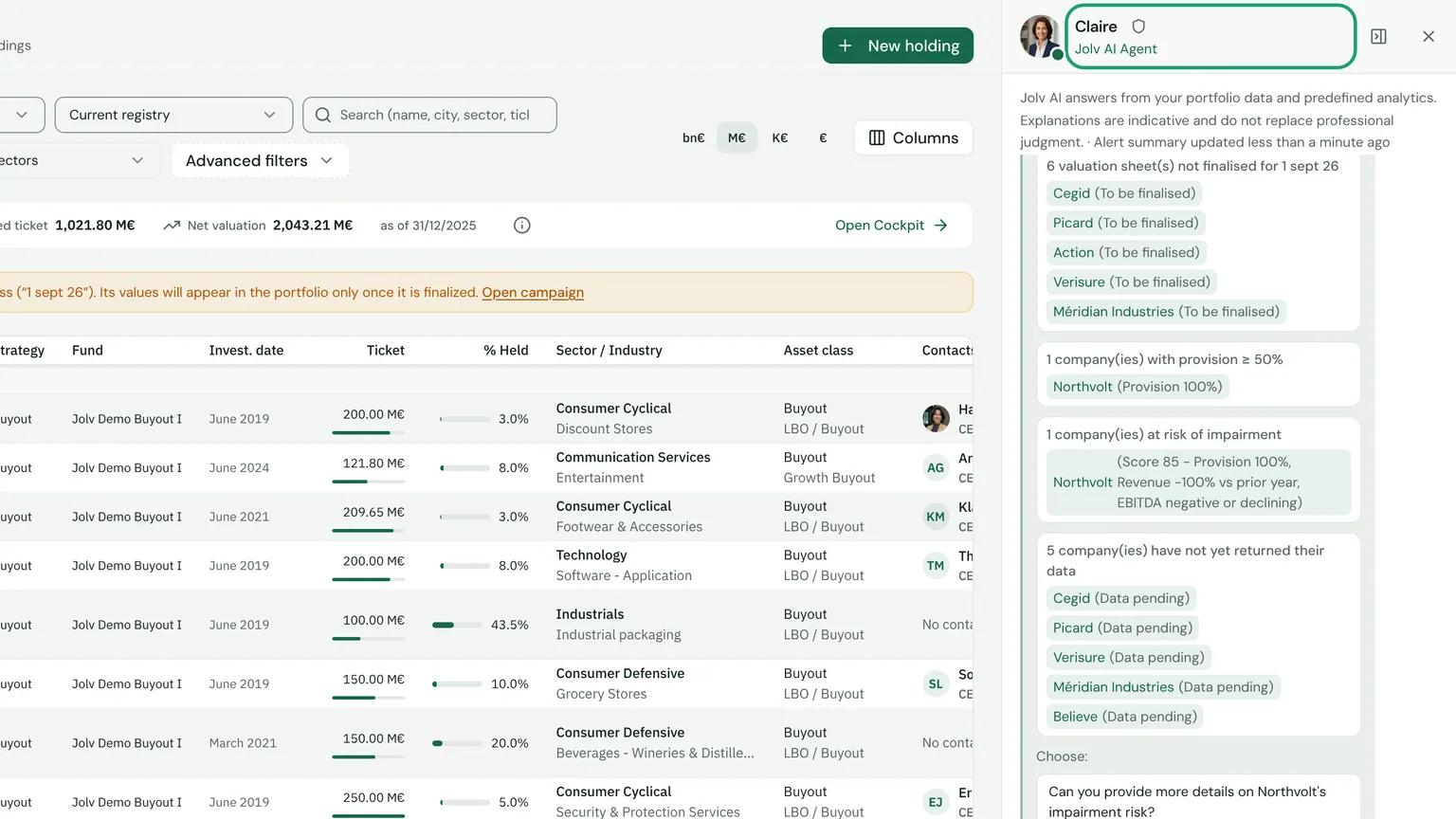
Your data, queried in plain language
Jolv AI answers from your sheets and campaigns, read-only, within your permissions. The MCP server opens the same access to Claude and compatible assistants.
See Jolv on your own files
A demo with an expert for Jolv Valuation; immediate access for Jolv Data.